Last updated: 14 October 2026, 3.28am BST.
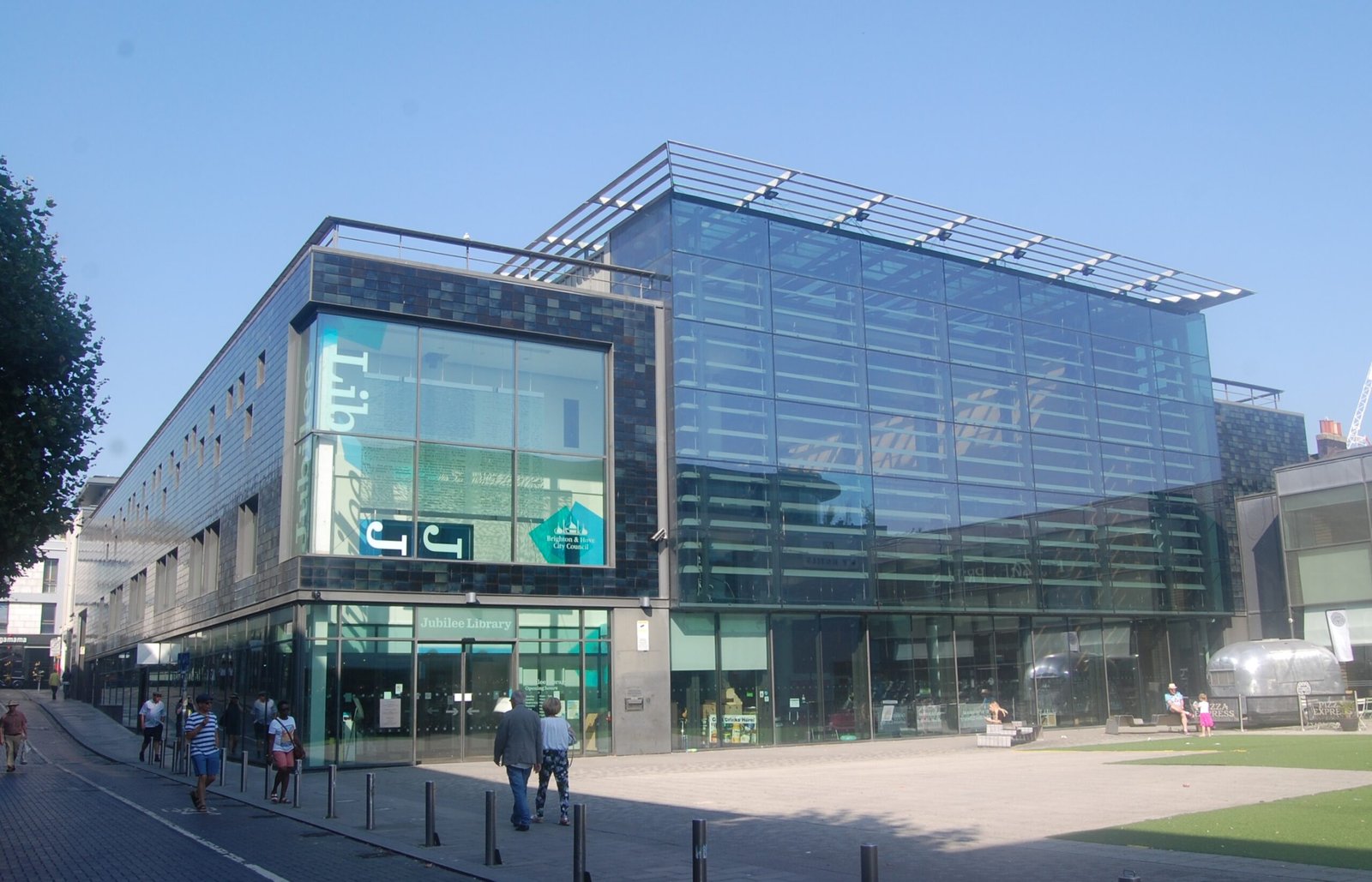
Archive: Jubilee Library and Jubilee Square, Brighton, 26 August 2019. Photo: Hassocks5489 / Wikimedia Commons, CC0 1.0. WordPress supplies resized versions.
,_Brighton_(August_2019)_(1).JPG)
This Jubilee Library Brighton guide brings together the practical details that make a visit useful: when the building is open, where to go, what digital facilities are listed and which costs to check. It is a sourced planning guide, not a first-hand review or a promise that a computer or quiet seat will be available when you arrive.
At a glance
- Address: Jubilee Street, Brighton, BN1 1GE.
- Tuesday and Thursday are the two listed late-opening days, closing at 7pm.
- Wi-Fi is free; printing and some other services have charges.
- For a computer booking or access question, call 01273 290 800.
Jubilee Library Brighton opening hours
The council’s Jubilee Library directory and LibraryOn’s listing show the same weekly hours. LibraryOn dates its entry to 16 September 2026. The details below were cross-checked on 14 October using that listing, the indexed council directory and the council papers linked below; the council directory itself could not be opened directly during our check.
| Day | Listed opening hours |
|---|---|
| Monday | 10am–5pm |
| Tuesday | 10am–7pm |
| Wednesday | 10am–5pm |
| Thursday | 10am–7pm |
| Friday | 10am–5pm |
| Saturday | 10am–5pm |
| Sunday | 11am–2pm |
Do not rely on an older guide showing a Monday evening or a longer Sunday afternoon. The December 2025 Cabinet decision approved a five-hour weekly reduction at Jubilee from 1 April 2026, specifically affecting those periods. That is established background, not a newly announced cut.
Public holidays and temporary changes can affect hours. If a visit depends on a specific facility being usable, ring before travelling. A building opening time is not confirmation of a booked workstation or a scheduled activity.
Reading, study and digital tasks
LibraryOn lists books, computers, scanning, photocopying, printing and free Wi-Fi. For someone who needs to finish an online form, check a document or work between appointments, the first decision is whether to bring their own device or arrange a library computer.
The council directory says computers, a printer and scanners can be booked in advance. Contact the library about the task you need to complete rather than assume every machine can handle every file format. If a deadline matters, allow time to open the document and check the result before the closing hour.
Free Wi-Fi is not the same as a fully free print-and-computer session. The published 2026/27 fee schedule includes computer-booking charges. Ask staff which entitlement and charge apply to your session; this guide does not infer an unlimited free computer allowance.
What printing may cost
The council’s published 2026/27 fees appendix, printed page 144 lists these per-page printing and photocopying charges: A4 black and white 40p, A4 colour £1.50, A3 black and white 60p, and A3 colour £2.
On those listed rates, ten A4 black-and-white pages would cost £4. That is our calculation, not a quotation for a particular job. Confirm the applicable rate, any concession and how to pay with staff before printing. The schedule is a planning source, not proof that a machine is available today.
Accessibility and visiting with children
The council lists wheelchair access throughout the building, an accessible entrance, a lift, disabled toilets, baby changing and adult changing facilities, plus a nearby disabled parking bay. LibraryOn also lists step-free access and lift access.
Ask ahead if you depend on a particular changing facility or lift being operational. The presence of a parking bay does not establish that it will be free or available when you arrive. Separate children’s and teenage areas are listed; check any organised activity’s own date and booking rules rather than assume there is a session during every visit.
Brighton Locals’ view
Editorial judgement: Jubilee is a practical city-centre resource, especially for tasks that need books, connectivity or accessible facilities in one place. Its usefulness depends on planning around actual hours and charges. Calling everything free, or recycling pre-April opening times, would make a guide less helpful.
Before you set off
Check the current library listing, prepare the document or task you need and call 01273 290 800 for booking or access questions. The council contact email is libraries@brighton-hove.gov.uk. No enquiry or booking has been made on your behalf.
If you are building a family day around a library visit, our separate half-term museum guide explains other activities and their admission rules. A free library visit does not imply free admission elsewhere.
Bottom line: Use Jubilee for what you actually need, choose the right opening window and check any paid service before committing.

Leave a Reply